Bytrionly
Grid Bundle
Grid Bundle
Couldn't load pickup availability
Share
1. Problem Statement
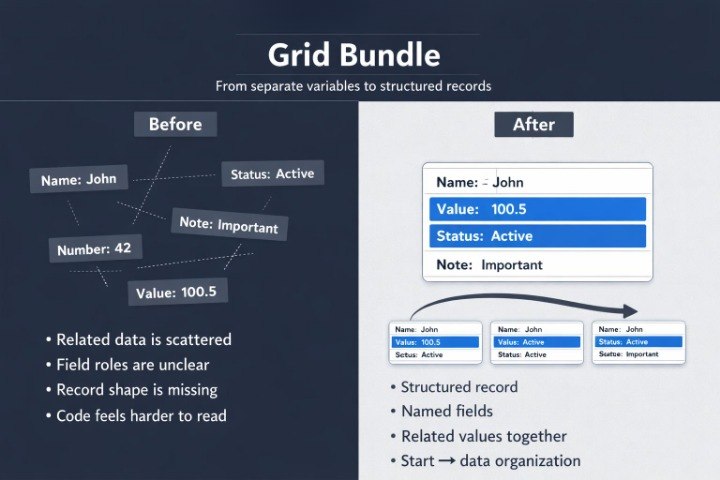
After working with arrays and strings, a learner often sees that separate variables are not enough for more meaningful examples. For instance, one number may store an age, one string may store a name, and another value may store a label or status, while all these parts may belong to one object. If they are stored separately, the code gradually becomes scattered, and the connection between values becomes harder to follow. Because of that, it becomes more difficult to understand which data belongs to one entity and how to work with it in different parts of a program. Grid Bundle helps learners study structures in C++ programming as a way to neatly combine related values and work with them without disorder.
2. Solution
Grid Bundle explains structures through simple examples where several values logically belong to one description. The materials show how to create a structure, which fields it can have, how to assign values to them, and how to refer to each part. The learner sees how a structure can describe a record, a list element, a learning example, a simple data card, or another small entity. Each section shows not only syntax, but also the reason why related values can be kept together. This format helps learners move from separate variables to more organized work with data.
3. What’s Inside
Grid Bundle includes learning materials that continue the path after Slate Series and focus on structures in C++ programming. The main idea of this tier is to show how to describe objects through a group of related fields. In this bundle, a structure is viewed as a way to make code more readable when one entity has several characteristics.
The first section introduces the idea of a structure. It explains why it can be inconvenient to keep several related variables separate. The learner sees examples where a name, a number, a label, a result, or another value together describe one record. The materials show that a structure helps gather these parts into one logical block, so while reading code it is clear which data belongs together.
The second section focuses on declaring a structure. It explains how a structure name is created, how fields are written, and how types are selected for each field. The examples are built around small entities: a learner record, a task description, a topic card, a short technical profile, or a group of parameters. The learner studies how to read a structure as a data scheme, not as a random group of variables.
The third section explains how to create a variable based on a structure. The materials show how, after describing a structure, a separate record can be created and its fields can be filled. The learner sees how one field can store text, another can store a number, and another can store a logical value or short label. There is also a separate explanation of why the structure description should not be confused with a specific record created from it.
The fourth section focuses on referring to fields. It reviews how to read a value from a certain field, how to change it, and how to use it in a condition, calculation, or output. The learner sees examples where one field needs to be checked, another field needs to be changed, or a short summary needs to be formed from several values. This approach helps show that a structure does not hide data; it organizes it for more comfortable reading.
The fifth section combines structures with functions. The materials explain how to pass a record into a function, and how a function can read fields, perform a check, or prepare a result. The examples remain compact, but already show how one function can work with a whole group of related values. This helps show the connection between functions and structured data.
The sixth section reviews arrays of structures. The learner sees how several records of one type can be stored together and processed through a loop. The examples show small lists: several learning topics, several records with numbers, and several cards with text fields. The materials explain how a loop moves through each record, how to refer to the fields of the current element, and how not to confuse an array index with a structure field.
The seventh section focuses on checks inside structured examples. It shows how to search for a record by a certain condition, count records with a needed feature, or change a field depending on the value of another field. The learner sees that structures often work together with topics from earlier tiers: conditions, loops, arrays, strings, and functions.
The eighth section contains practice tasks. They are built around creating simple structures, filling fields, reading values, changing data, and explaining the result of code execution. Some exercises ask the learner to describe which fields are needed for a certain entity and then show how to work with them. This helps not only with writing code, but also with thinking about data as an organized scheme.
Grid Bundle also includes summary notes after each topic. They remind the learner how a structure description differs from a specific record, how to refer to fields, how to combine structures with functions, and how to read examples that include an array of structures. These notes can be used for review before moving to later tiers where wider topics of code organization and connections between its parts appear.
4. Who Is This For?
Grid Bundle is suitable for learners who already know basic C++ programming topics and want to move toward a more organized way of describing data. This tier fits those who understand variables, arrays, strings, and functions, but still feel unsure when several values need to describe one entity.
The materials also suit those who want to read code with related data more carefully. If an example includes several records, fields, checks, and a loop, Grid Bundle helps divide that logic into understandable parts. The tier may be useful for independent study, structure topic review, or preparation for later sections where code will have more interconnected elements.
5. What You’ll Learn
- How the idea of a structure works in C++ programming.
- How to describe an entity through a group of fields.
- How to declare a structure and read its scheme.
- How to create records based on a structure.
- How to refer to separate fields.
- How to change values inside a record.
- How to pass a structure into a function.
- How to work with an array of structures.
- How to combine structures with conditions, loops, and strings.
- How to explain the result of a code fragment that contains related data.
6. 30-Day Refund Note
Grid Bundle includes a 30-day period during which a refund request may be submitted according to the Bytrionly store terms. The request is reviewed under the rules described in the store policy. Before placing an order, we recommend reviewing the tier description, the list of materials, and the topics included in this bundle. If clarification is needed about the content or learning format, the Bytrionly team can respond through the contact page.
- 📘 Digital file available after purchase
- 📚 Long-term availability
- 🔐 Secure checkout
- 🗓️ Content updated in 2026
Self-paced learning overview
1. Are these courses suitable for beginners in C++ programming?
1. Are these courses suitable for beginners in C++ programming?
Yes, Bytrionly materials are organized so a learner can gradually work through the topic without being overloaded by terminology. The lessons explain basic concepts, code examples, syntax logic, and the order of actions. Each tier has a different scope of materials, so learners can choose a format that matches their own study pace.
2. What is included in the learning materials?
2. What is included in the learning materials?
Depending on the tier, the materials may include topic explanations, code examples, structured modules, independent practice tasks, short notes, review sections, and practical examples. All materials are built around C++ programming and arranged as a step-by-step learning path.
3. Can I study at my own pace?
3. Can I study at my own pace?
Yes, Bytrionly materials are suitable for independent study at a comfortable rhythm. You can return to topics, repeat examples, review explanations, and work with code as many times as needed for better understanding.
4. How are the tiers different from each other?
4. How are the tiers different from each other?
The tiers are arranged in ascending order by content volume, topic depth, and number of learning sections. The first tiers introduce the basics of C++ programming, while the later ones add more topics, tasks, examples, and structured materials for deeper study.